

With Accrue’s Virtual USD Account, you can manage payments while enjoying the benefits of a secure, easy-to-use digital platform.
Say goodbye to tedious paperwork and high fees with our seamless USD account setup designed to help you connect to the global financial system.
The Step-By-Step Guide to Setting Up Your Virtual USD Account
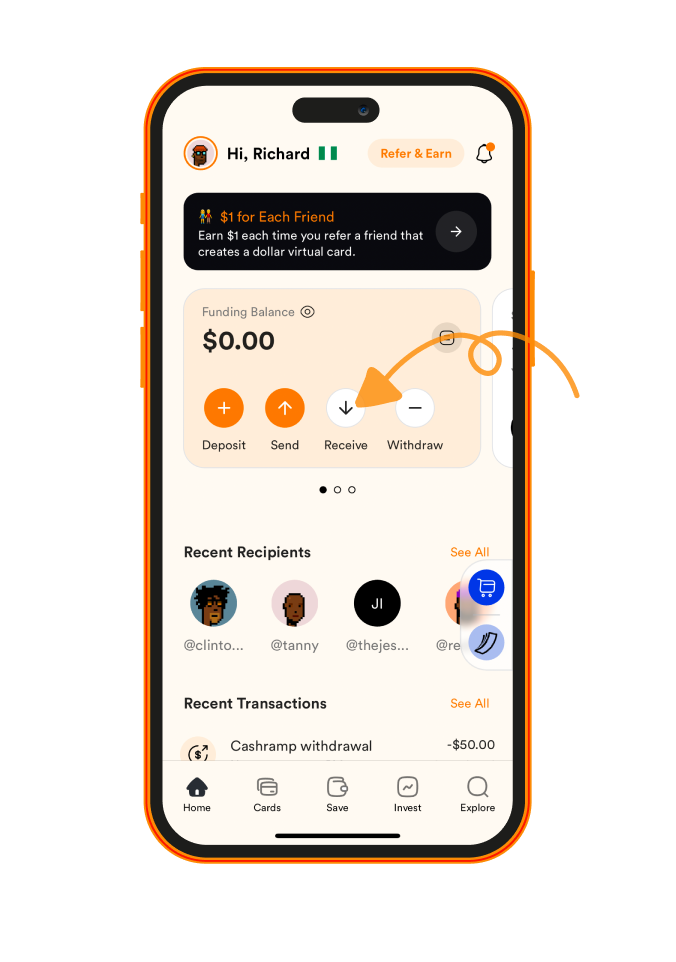
- Open the Accrue App and Select "Receive."
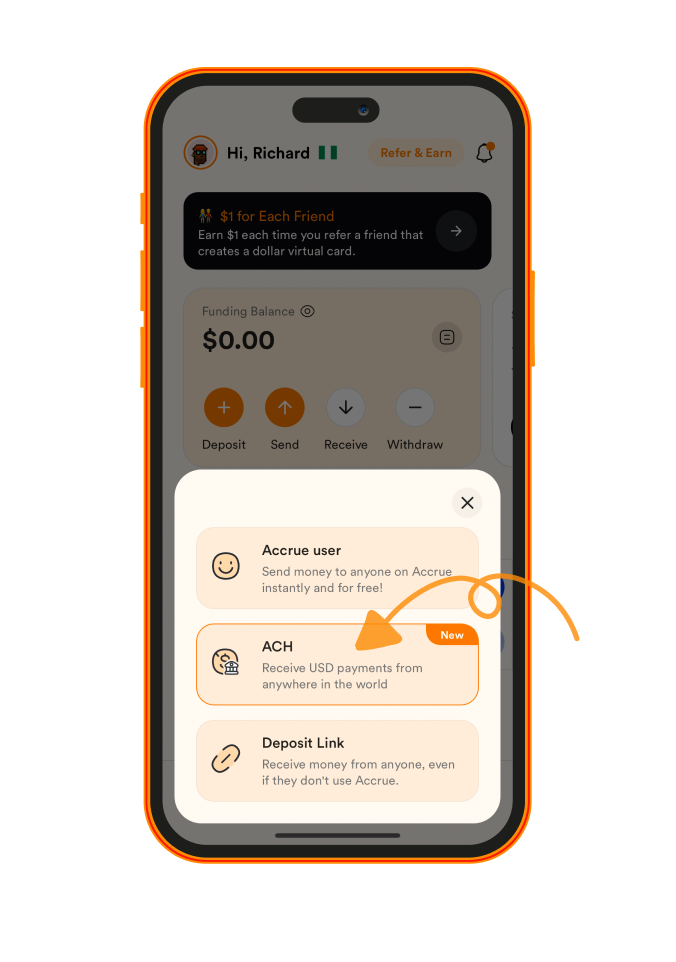
- Choose “ACH” as the Payment Method
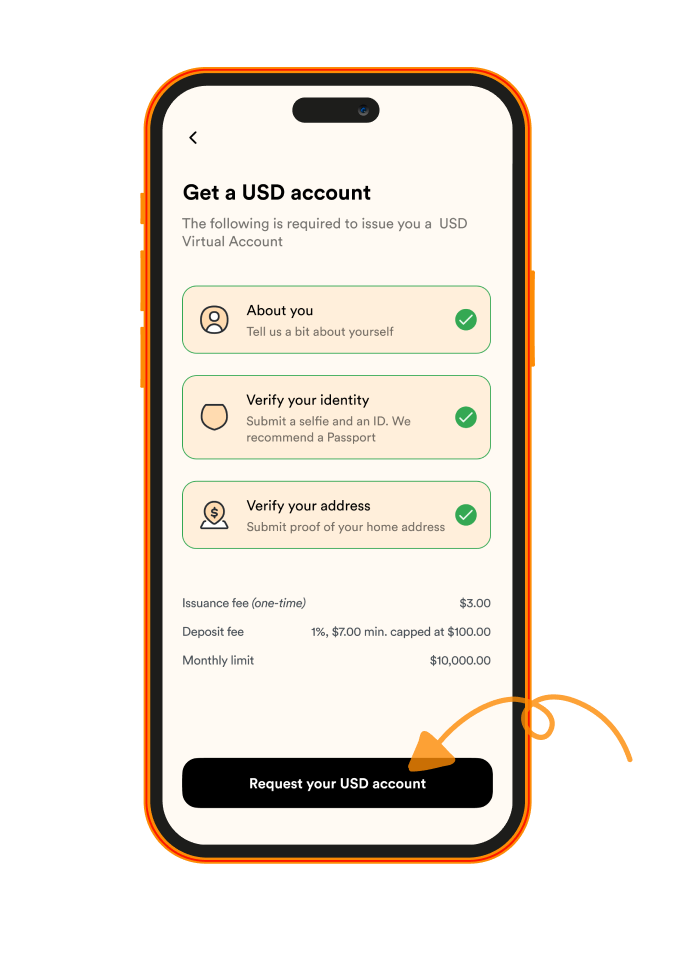
- Provide the Required KYC Information
For this, you’ll need to submit a few personal details, including:
Proof of Address: This can be your bank statement, utility bills, or any other relevant documents
Selfie and ID Verification: Take a quick selfie and upload a valid ID to confirm your identity for added security
Personal Information: Name, date of birth, and contact details
- Tap “Request Your USD Account.”
Once you've submitted the required information, tap “Request Your USD Account” at the bottom of the page.
We'll then proceed to process your application. Once approved, you’ll have your virtual USD account ready to use!
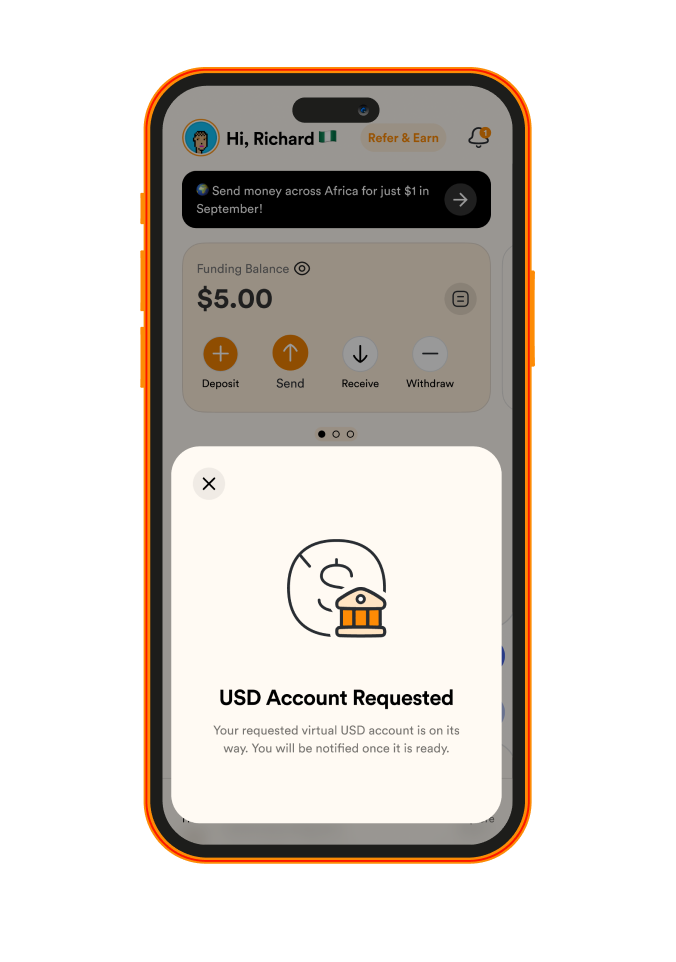
Fantastic! You've set up your USD account and can receive your first international transfer!
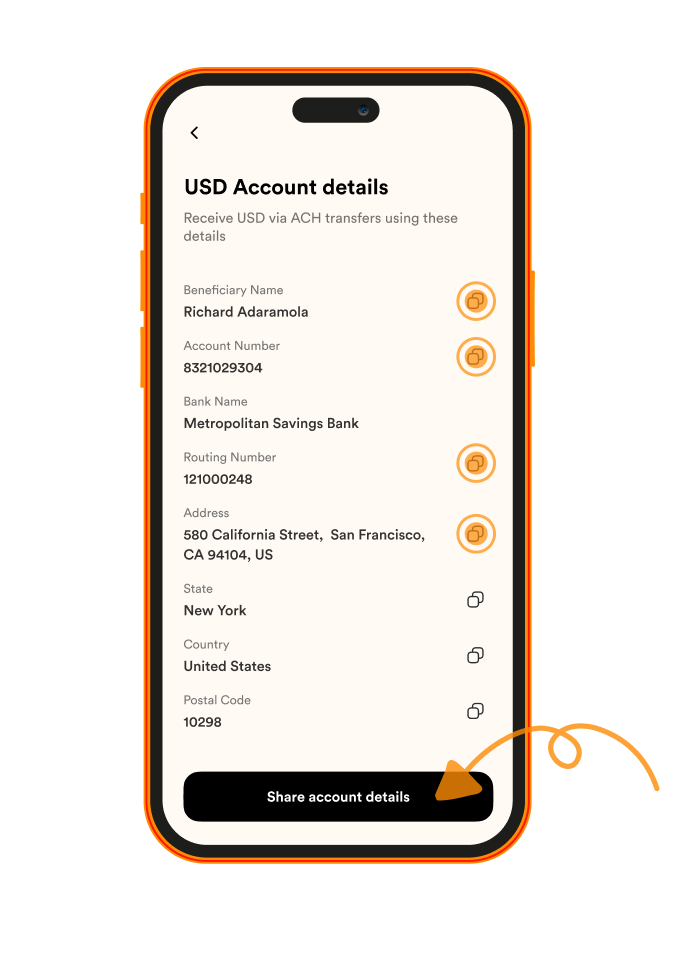
So what are you waiting for? Start by tapping the button below.
Request Your Virtual Dollar Account
Need help along the way? We’ve got you covered. Access our Self-Help Knowledge Center for additional guides, or feel free to contact us at help@useaccrue.com with any questions or feedback.